What it does
Build your programs as a list of timed blocks, record them with a 3·2·1 pre-roll, see overruns as they happen and export a report when you are done.
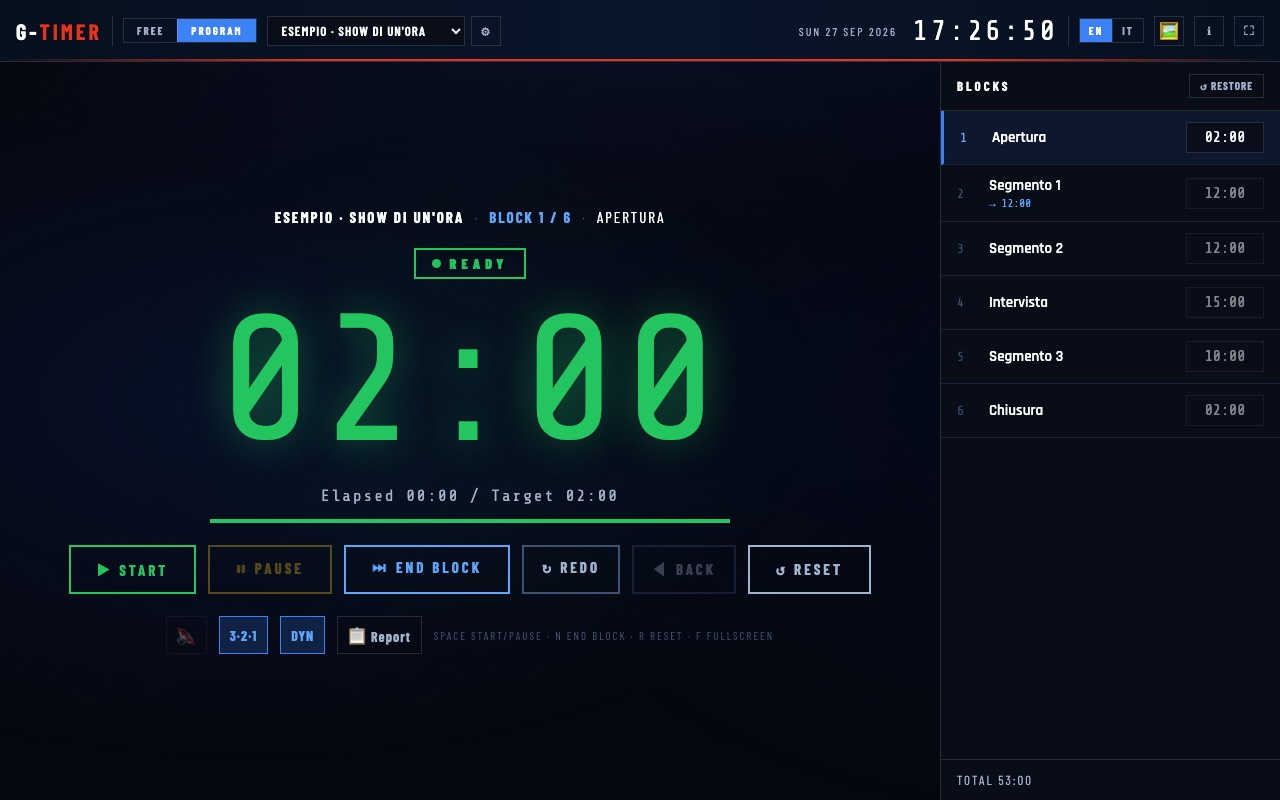
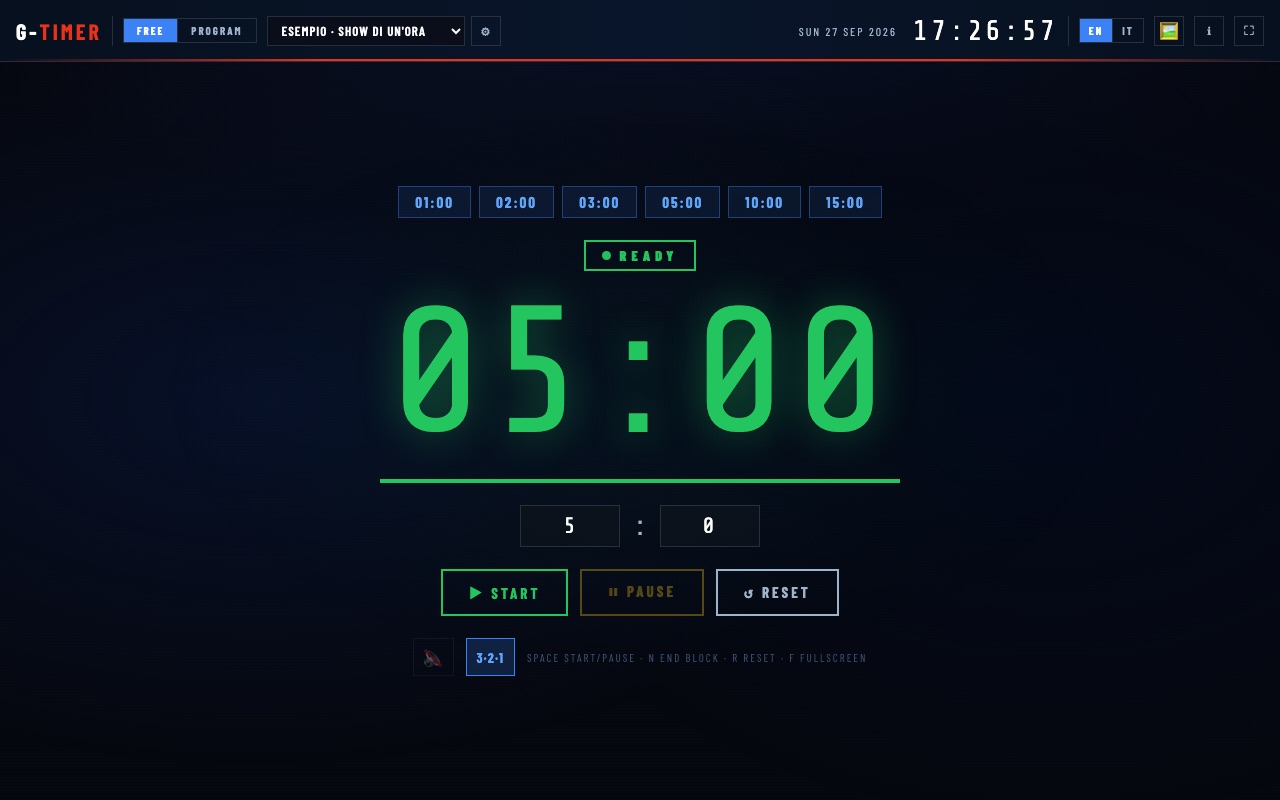
- Free and program modes. A quick countdown with presets, or programs made of blocks, each with its own planned duration.
- Pre-roll 3·2·1. Before each take, with optional beeps.
- Overruns at a glance. Yellow in the last minute, red in the last 10 seconds, then the overrun count.
- Dynamic timing. The drift of each block carries over to the next one, so the program still ends on time.
- Multi-take and non-linear. Record a block in several takes and jump to any block.
- Final report. Planned and actual time per block, to copy or export as text. Programs and your station logo stay in your browser.
Where it helps
For shows recorded in blocks, such as news bulletins, magazines and pre-recorded interviews, where each segment has a target length and the total has to be exact.
Screenshots
Quick start
- Open the app and create a program with its blocks.
- Press Space to start: 3·2·1, then record.
- Close each block with N; at the end, export the report.
Changelog
- 2026.9.5 · 2026-09-30 · Spanish added, elapsed time measured with a monotonic clock (immune to system clock changes), and the header wraps on phones.
- 2026.9.4 · 2026-09-28 · When an update is ready, an in-page banner offers to reload; nothing is interrupted mid-recording.
- 2026.9.3 · 2026-09-28 · Installable (Add to Home Screen / Install app) and works offline once loaded once.
- 2026.9.2 · 2026-09-27 · Sample programs now follow the interface language when you switch EN/IT.
- 2026.9.1 · 2026-09-26 · First public release.