

What it does
Drop MP3 and WAV files or folders, edit the metadata like in a spreadsheet and save. Before a file is touched it is copied, and after writing the result is checked.
- WAV: BWF bext chunk. Description, Originator, Originator reference, date and time, checked against the EBU Tech 3285 specification (ASCII only, real dates). Loudness values, UMID and coding history are kept untouched.
- MP3: ID3 tags. Title, artist, album, year, track, genre and comment of ID3v2.3 and v2.4 tags. Pictures, private and unknown frames are copied byte for byte.
- Edit like a spreadsheet. Type in cells, move with Enter and the arrow keys, set a value for all checked rows with one button. Edited cells are highlighted, invalid ones turn red.
- Backup before every change. Each original is copied (with its modification time) to a backup folder you choose; the free space is checked first.
- Checked after writing. Every file is read back and compared with what you asked for; if anything fails the original is put back automatically.
- Restore. One click restores the last batch, leaving alone files edited again since.
Where it helps
For libraries whose files carry wrong or missing metadata: a recorder that wrote an old date, files without a bext chunk, MP3s with the artist in the title field. Useful before importing files into an automation system. Try it on copies first: it is not a certified tool.
Screenshots
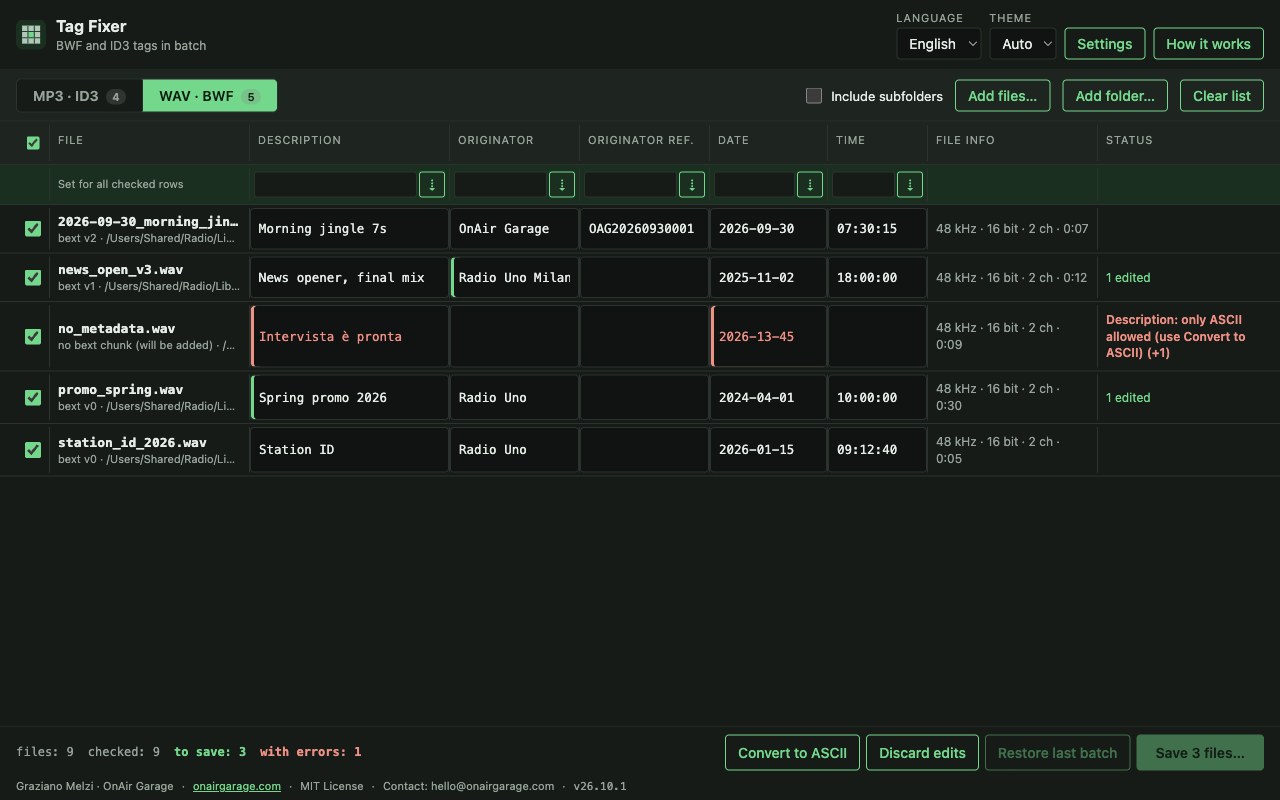
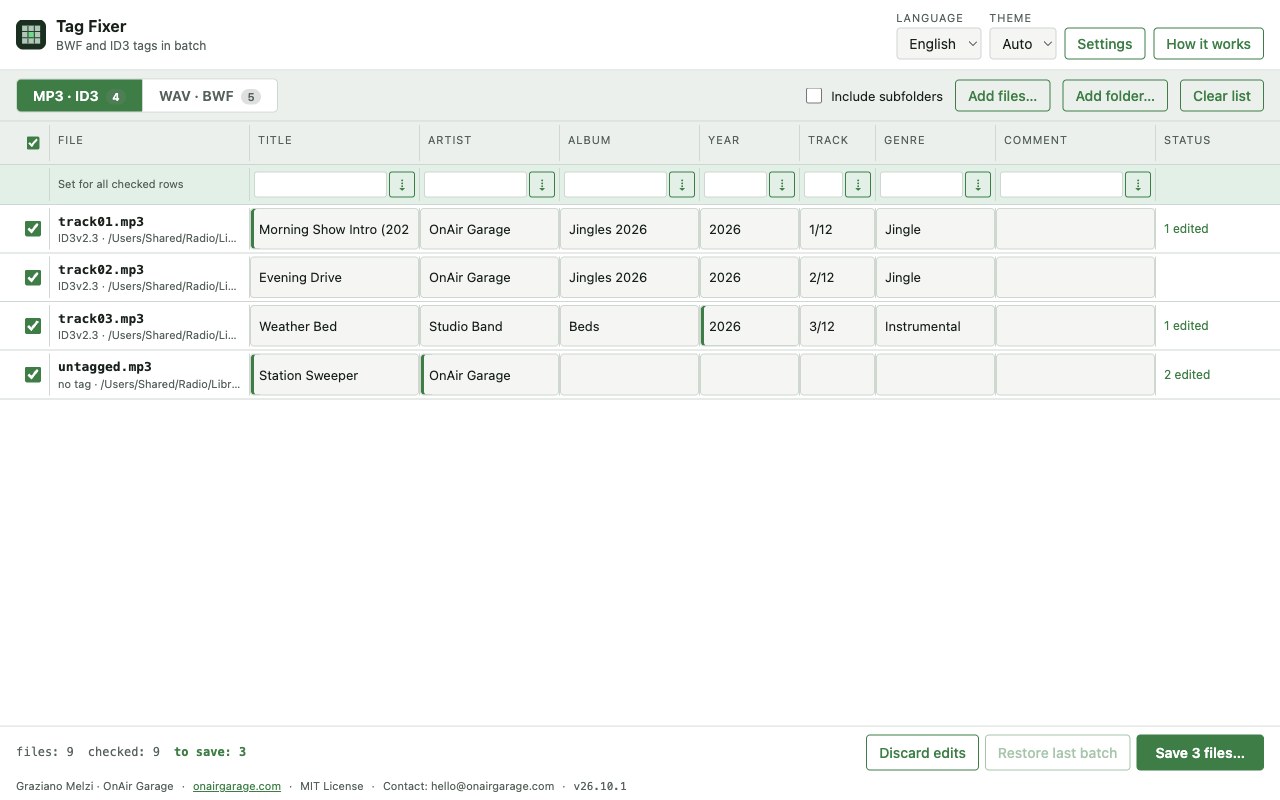
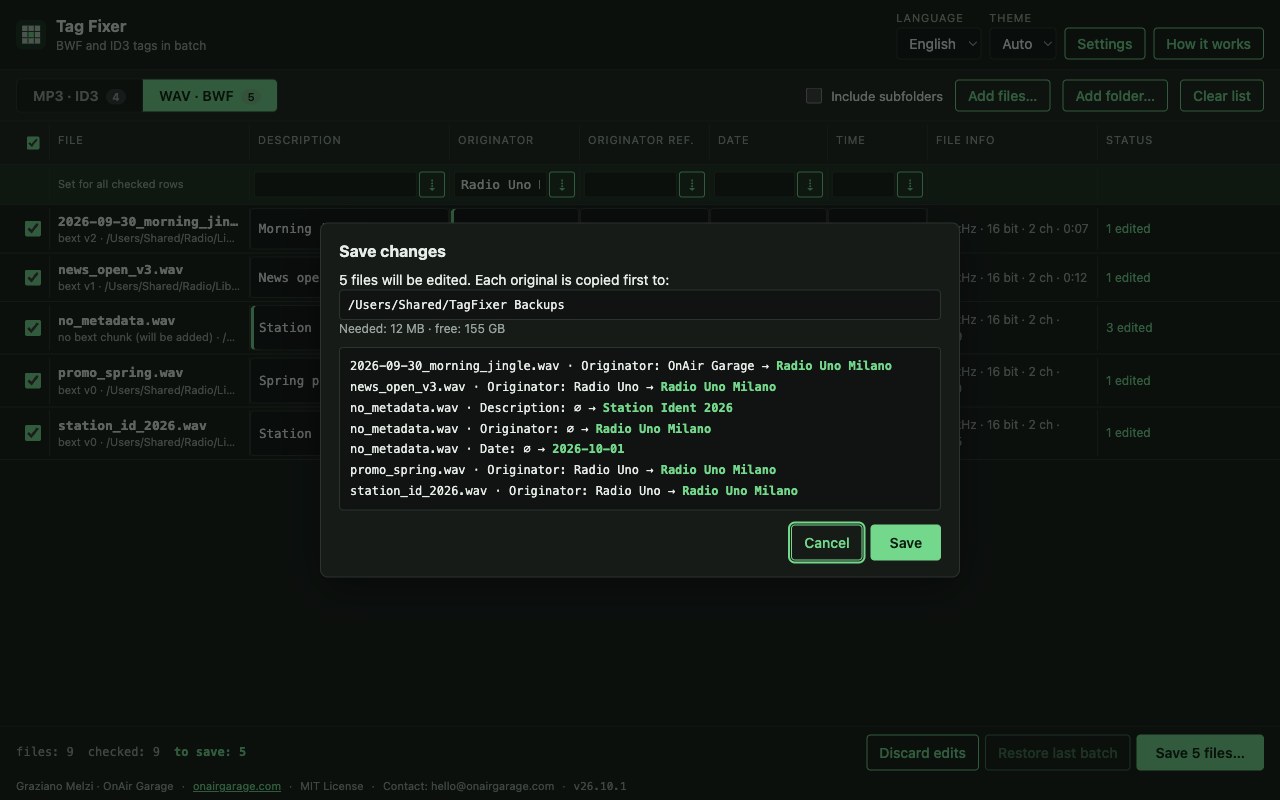
Quick start
- Drop MP3 and WAV files or folders; each type goes to its own tab.
- Edit the cells, or type a value in the green row and press ⇣ to set it for all checked rows.
- Press Save, check the list of changes and the backup folder, confirm. “Restore last batch” undoes it.
First launch
The apps are free and not code-signed, so your system shows a warning the first time.
- Windows
- SmartScreen may say “Windows protected your PC”: click More info, then Run anyway.
- macOS
- Drag the app to Applications. If macOS blocks it, open System Settings → Privacy & Security and press Open Anyway.
- Linux
- Make the AppImage executable (chmod +x) and run it. Some distributions also need libfuse2.
- Check the file
- Compare the SHA-256 of what you downloaded with the one in the specs.
shasum -a 256 <file>·Get-FileHash <file> -Algorithm SHA256
Changelog
- 26.10.1 · 2026-10-01 · First public release.