
What it does
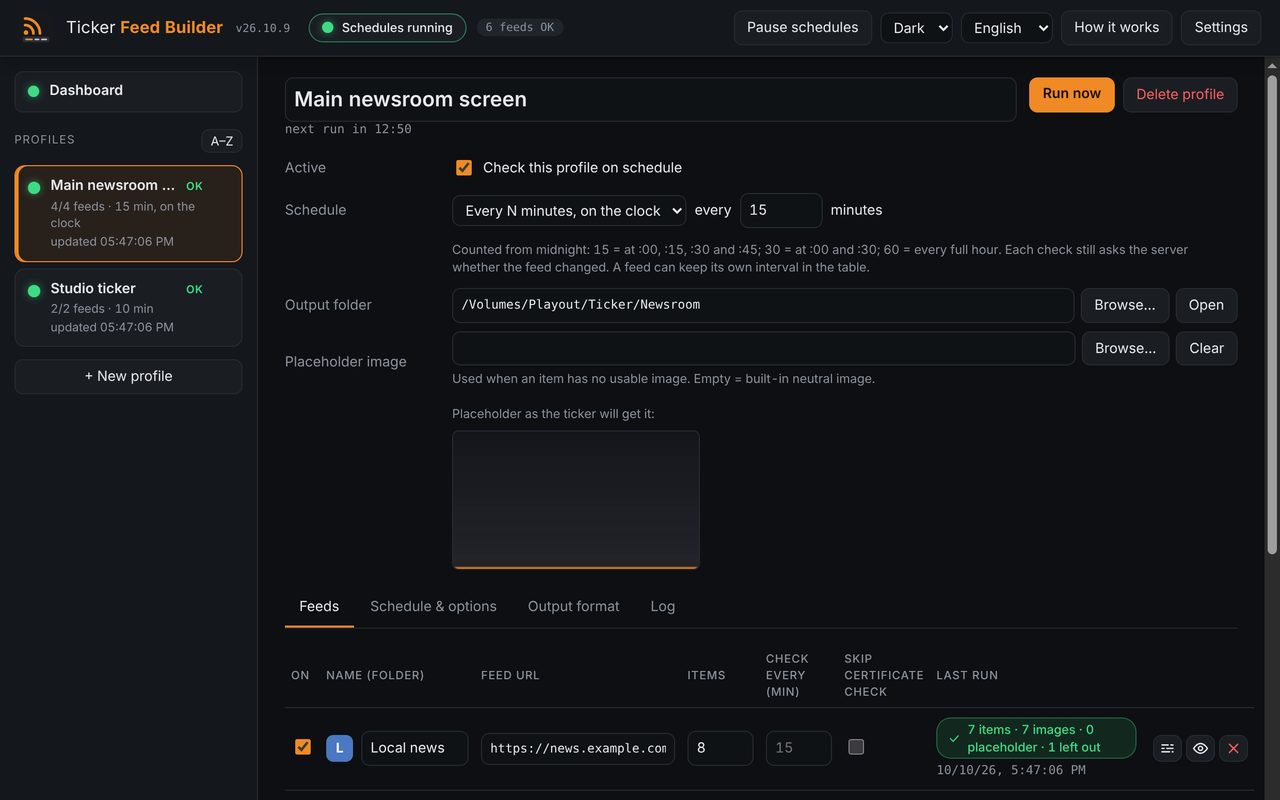
Create a profile, choose the output folder your ticker reads, add your feeds and leave the app in the tray: it checks on its own, updates the files only when something is new, and alerts you if something stops.
- One profile per destination. Each profile has its own output folder, feeds, check interval, placeholder image and format, so different screens can read different folders.
- Lines and images always in step. Story N is line N of both text files and image N. Line breaks and hidden characters are removed, an empty title becomes a dash, and a missing or unreadable image becomes your placeholder. WebP and AVIF images are converted to JPEG.
- Safe writes. Files are written under a temporary name and renamed, unchanged files are not touched, and if a download fails the previous files stay as they were. A missing output folder is reported and never created, so an unplugged drive does not turn into a local folder.
- Only what changes. A check first asks the server whether the feed changed: if nothing is new, nothing is downloaded or rewritten. Images are fetched only for new stories, and the app remembers its state across restarts.
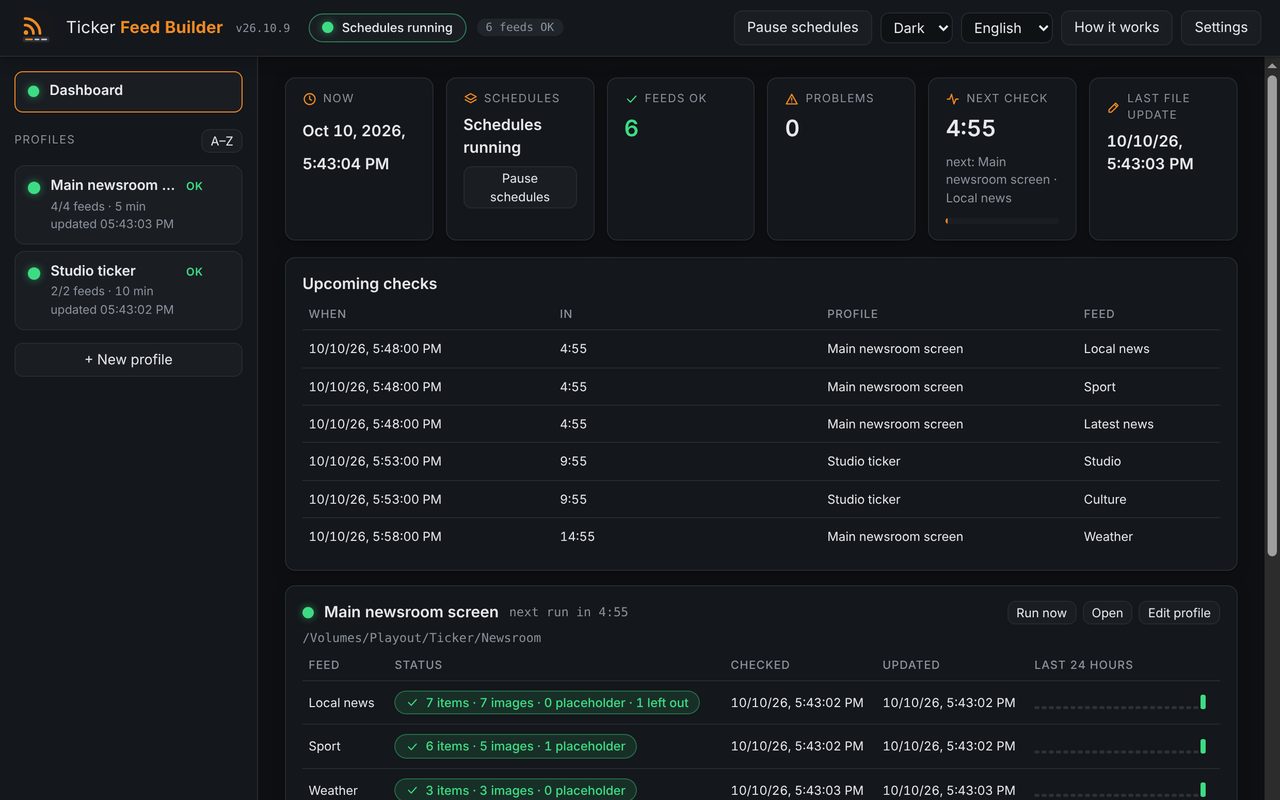
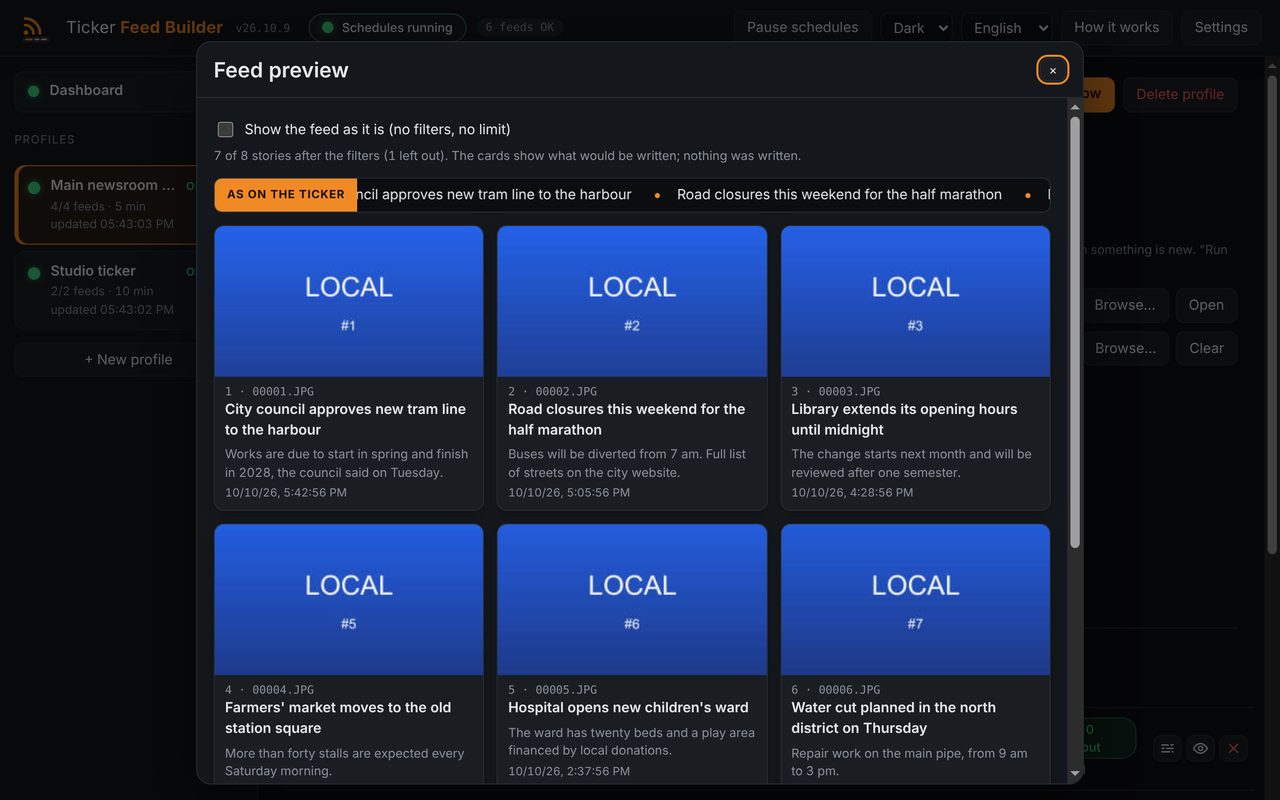
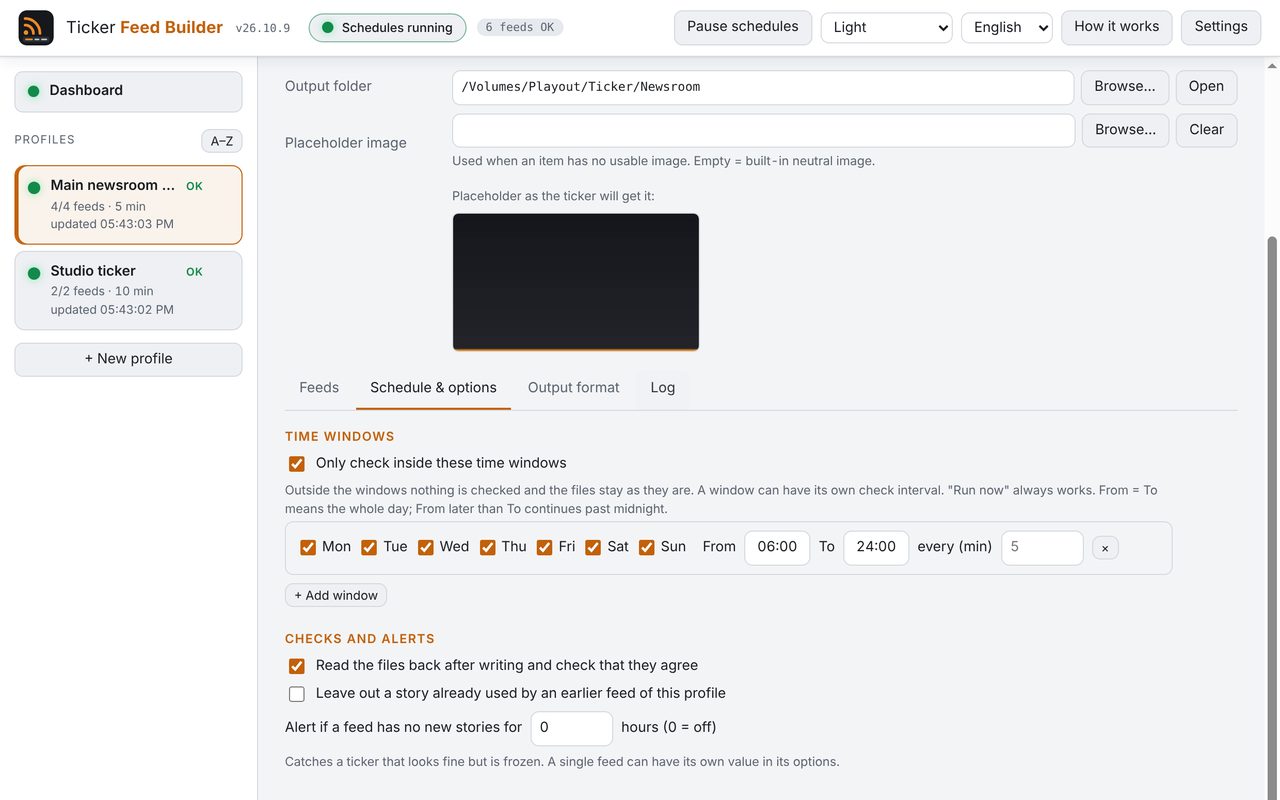
- Choose the stories. Keep or leave out stories by word, remove duplicates, order newest first, merge several feeds into one folder and limit the checks to certain hours and days. A preview shows exactly what would be written before anything is.
- Schedules that fit the day. Check every N minutes, every N minutes on the clock (:00, :15, :30, :45) or at fixed times on the days you choose, even once a day. A time missed while the app was closed is made up at start-up, and profiles that share an interval can be staggered so they do not all start together.
- Alerts. Email and Telegram when a feed fails several runs in a row, when an output folder disappears, when a feed answers but has had no new stories for hours, and when it works again. A daily summary is optional. It also tells you, once, when a new version is out.
- Format and headless mode. Text encoding, line endings, file names, image numbering, JPEG quality and size are all configurable, and the defaults reproduce the layout of the scripts it replaces. Headless mode runs the same engine without a window, for a server.
Where it helps
For anyone who feeds a TV ticker, a news wall or playout graphics from RSS feeds: a local TV station, a regional broadcaster, a studio screen. It replaces hand-made scripts run by a task scheduler. The default layout is the one the original scripts produced for NeMedia Morpheus; it has not been checked against NeMedia's documentation, so other ticker systems may need other names, encodings or sizes, which is why everything is configurable. A feed that is free to download is not necessarily free to broadcast: publishers usually offer RSS for personal reading, and showing their headlines in public normally needs an agreement with the publisher. That responsibility is yours, and this is not legal advice. The app starts with no feed at all.
Screenshots
Quick start
- Create a profile, choose the output folder your ticker reads and add the first feed: only a feed you are entitled to use.
- Press Test on the feed to see the stories exactly as they would be written; nothing is written yet.
- Press Run now, check the files in the folder, then leave the app in the tray: it checks on its own.
First launch
The apps are free and not code-signed, so your system shows a warning the first time.
- Windows
- SmartScreen may say “Windows protected your PC”: click More info, then Run anyway.
- macOS
- Drag the app to Applications. If macOS blocks it, open System Settings → Privacy & Security and press Open Anyway.
- Linux
- Make the AppImage executable (chmod +x) and run it. Some distributions also need libfuse2.
- Check the file
- Compare the SHA-256 of what you downloaded with the one in the specs.
shasum -a 256 <file>·Get-FileHash <file> -Algorithm SHA256
Changelog
- 26.10.11 · 2026-10-17 · Alert emails no longer go to the sender too: the message used to be addressed to the sender with the recipients in Bcc, so that mailbox received a copy of every alert. Now only the recipients you list receive it (a sender that is also a recipient gets it once). A guided update download that is cancelled, cut off or stalled no longer leaves a half-downloaded installer in the Downloads folder, and leftovers from earlier runs are removed when the app starts. Help & About has a small tip jar box with a link to the tip page, in the language of the app: nothing in the main window, no pop-ups. Electron and Nodemailer updated.
- 26.10.10 · 2026-10-13 · A guided update: the app offers Download and install, checks the installer against the published SHA-256 sums, saves a safety copy of your settings and installs only when you click Close and install (refused while a profile is running). The configuration backup now has a box to include passwords and tokens (off by default), an import that replaces everything or adds only the missing profiles, and a list of what to type again. Every alert starts with the name of the installation, there is a Help & About tab with Copy info for support, show/hide buttons on passwords, daily logs capped at 5 MB, and the window remembers its place. A new feed option, Not older than, leaves out stories older than a limit you set. The feed engine is otherwise unchanged.
- 26.10.9 · 2026-10-10 · New logo and a new look: header with a status pill, profile cards that say in words if everything is fine, dashboard tiles with a progress bar to the next check and a strip of the last 24 hours for every feed, status pills in the feed table, and a preview that scrolls the headlines like on the ticker. Each profile can now be checked every N minutes, every N minutes on the clock (:00, :15, :30, :45) or at fixed times on chosen days (even once a day); an option staggers profiles that share an interval so they do not start together after a restart. Telegram and email now also announce a new version, once for each release. The feed engine is unchanged.
- 26.10.8 · 2026-10-08 · Email and Telegram settings laid out like in the other OnAir Garage apps: SMTP fields in a grid with several recipients, Telegram recipients as rows, and a Send test button with its result for each channel. The release build now publishes from a manual run with a version; the feed engine is unchanged.
- 26.10.6 · 2026-10-08 · First public release: RSS feeds to numbered ticker text lines and JPG images on a schedule, with filters, merged feeds, time windows, frozen-feed alerts, email and Telegram alerts, a daily summary and a headless mode. The app starts with no feeds.