

What it does
Draw the network, add the audio flows and see how much load lands on every link, before you build or extend the installation.
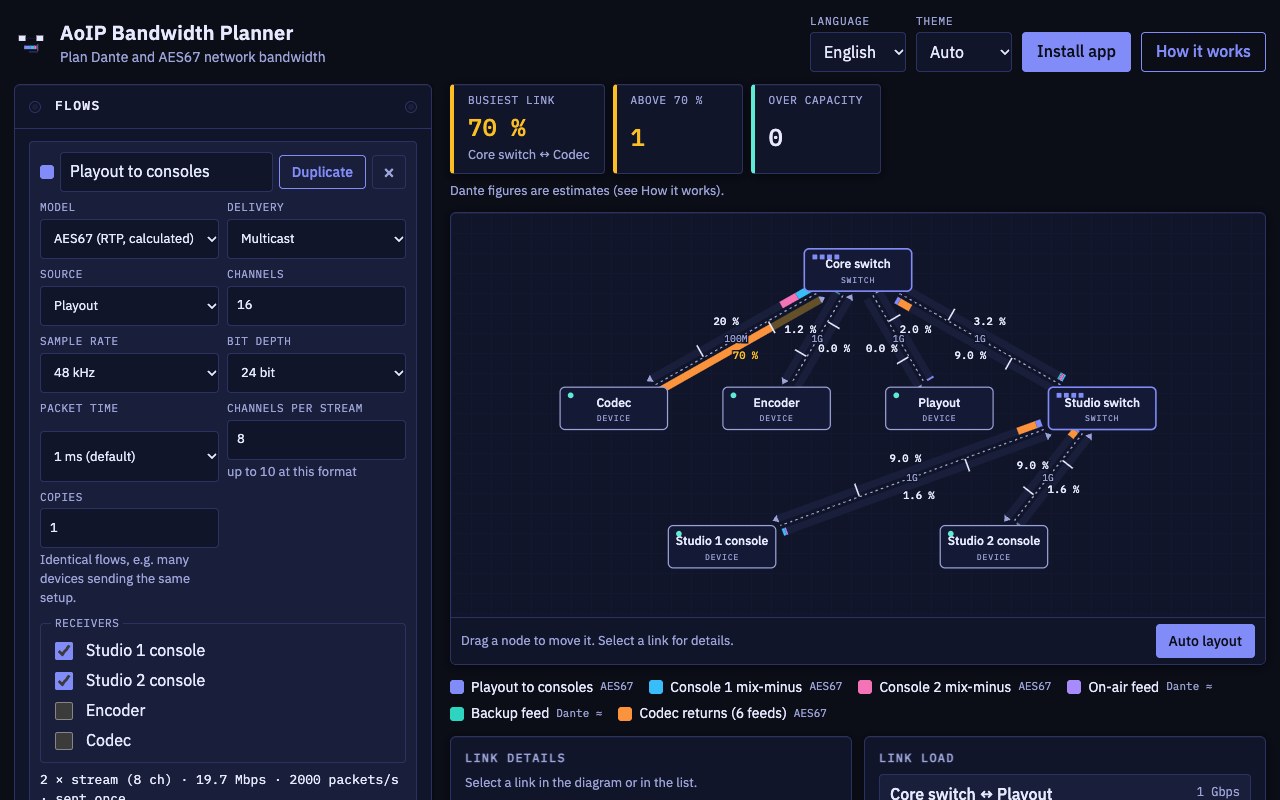
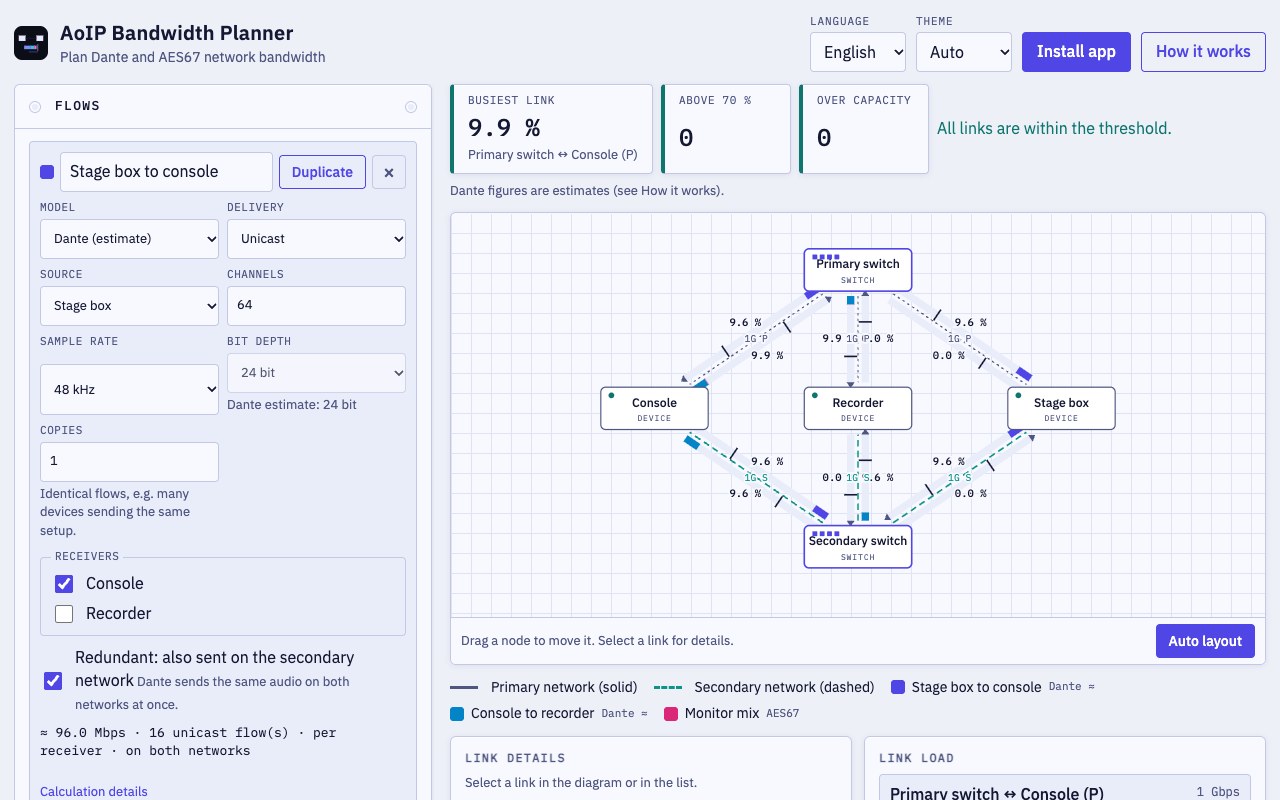
- Draw the network. Devices and switches joined by 100 Mbps, 1 Gbps or 10 Gbps links, on a diagram you can drag or auto-arrange.
- AES67, calculated. Bit rate from packet time, channels, sample rate and bit depth, following the published AES67 figures.
- Dante, estimated. Scaled from Audinate's published figures, because Dante's packet format is not public. Marked as an estimate.
- Load on every link. Two bars per link, one per direction, with a segment per flow and a tick at your safety threshold (default 70 %).
- Redundancy. Primary and secondary networks, and redundant Dante flows counted on both.
- Plans that stay with you. Saved on your device, exported and imported as JSON, with three examples to start from.
Where it helps
For designing or checking an audio-over-IP network before it is built or extended: how many channels fit on a link, whether an uplink is too busy, what redundancy costs. It counts audio traffic only and does not replace a network capture.
Screenshots
Quick start
- Open an example, or add your devices and switches.
- Add the audio flows and pick their receivers.
- Check the load on each link and the summary at the top.
Changelog
- 2026.9.3 · 2026-09-29 · AES67 model cross-checked against Dante's AES67-mode restrictions and RTP header notes.
- 2026.9.1 · 2026-09-29 · First public release: network diagram, AES67 and Dante flows, primary and secondary networks, redundant flows.