




What it does
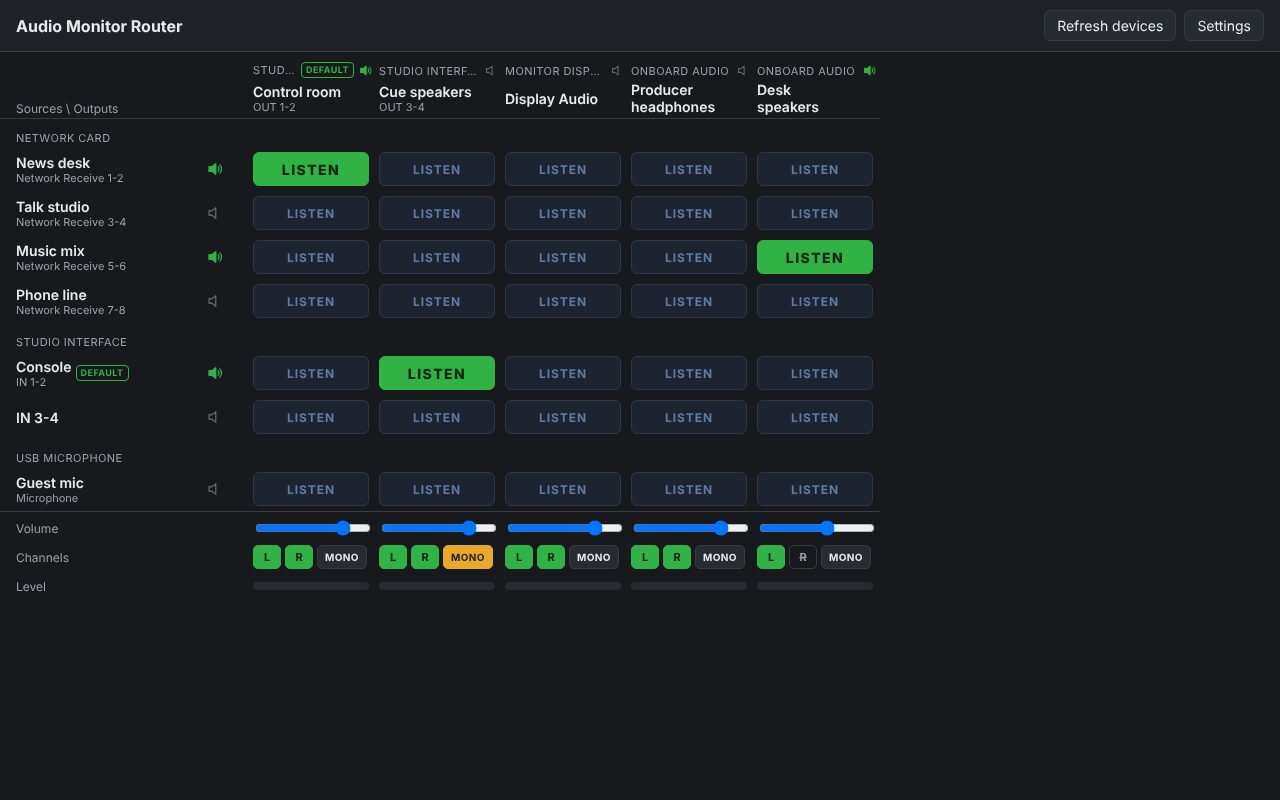
Pick a source, press LISTEN on the output you want. That is all: no mixer to build, no routing to configure.
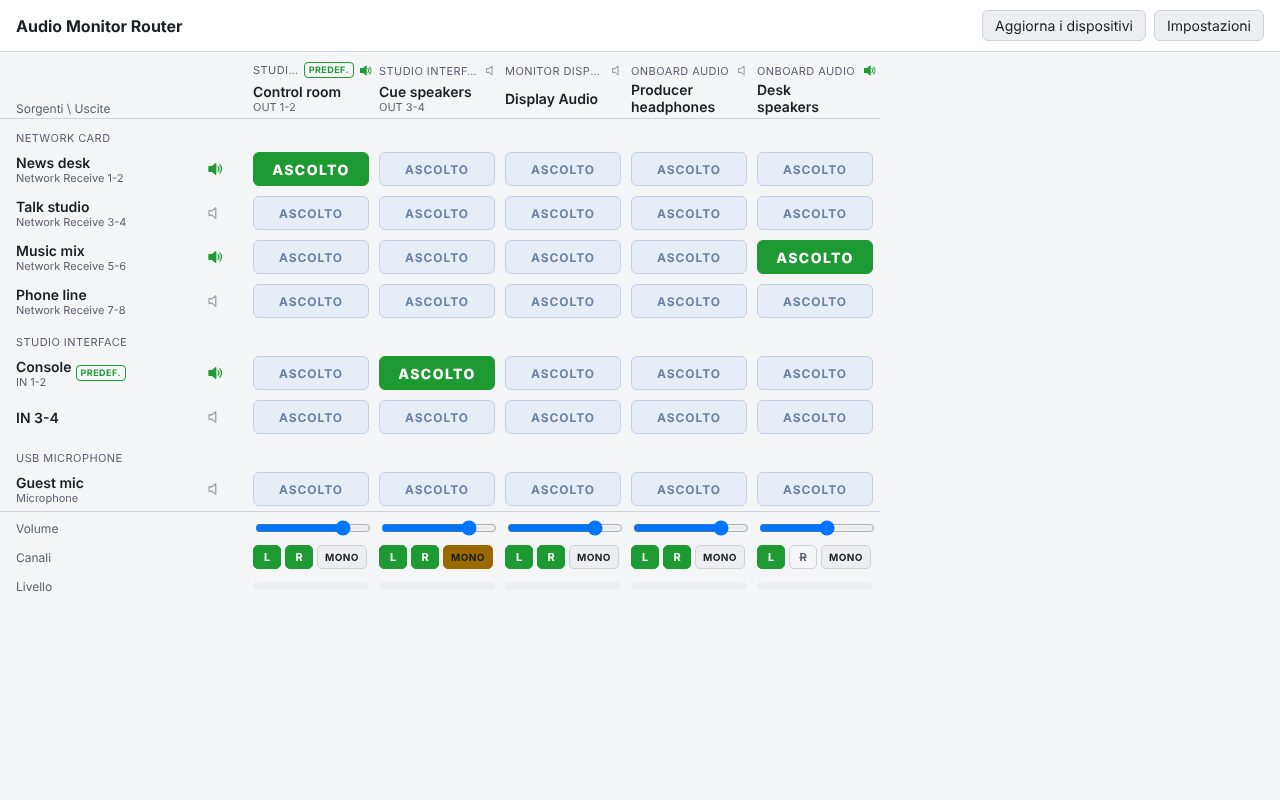
- Any input on any output. Rows are the inputs of the computer, columns the outputs, grouped by sound card. Press LISTEN to hear a source on an output: one source per output, several outputs at the same time, each with its own volume. Stereo pairs, mono devices and multi-channel devices (split in pairs) are all handled.
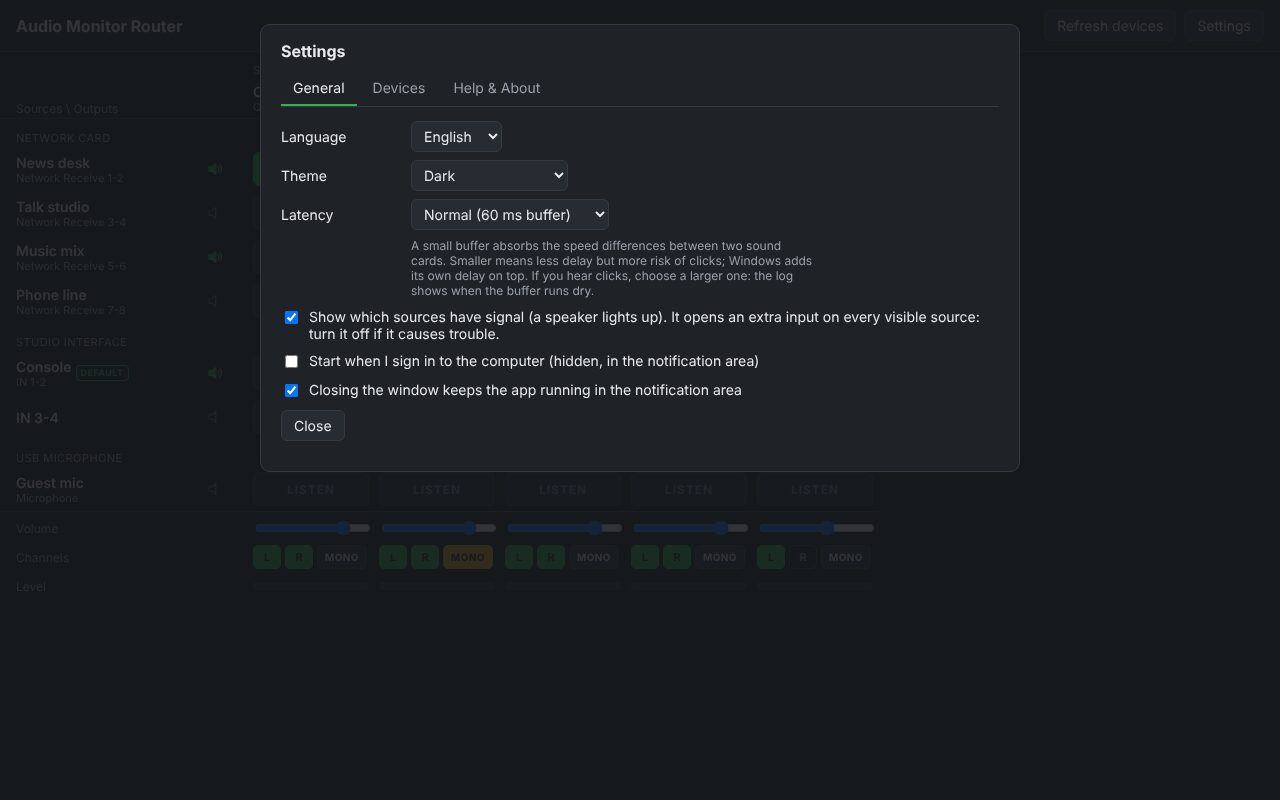
- Who is playing. A speaker icon next to each source lights up when there is signal, and next to each output when any program plays on it (read from the level Windows already measures). Level meters on every active route. The speakers can be switched off in Settings.
- Left, right, mono. On every output you can leave out the left or the right channel, or sum both (MONO). A lit button means that channel is heard.
- Loop warning and latency. Before a route that could feed itself (an interface that monitors its own inputs) the app asks for a second click. Three latency settings (30, 60, 120 ms): lower is quicker, higher is safer on slow computers. The buffer follows the difference between the clocks of two cards.
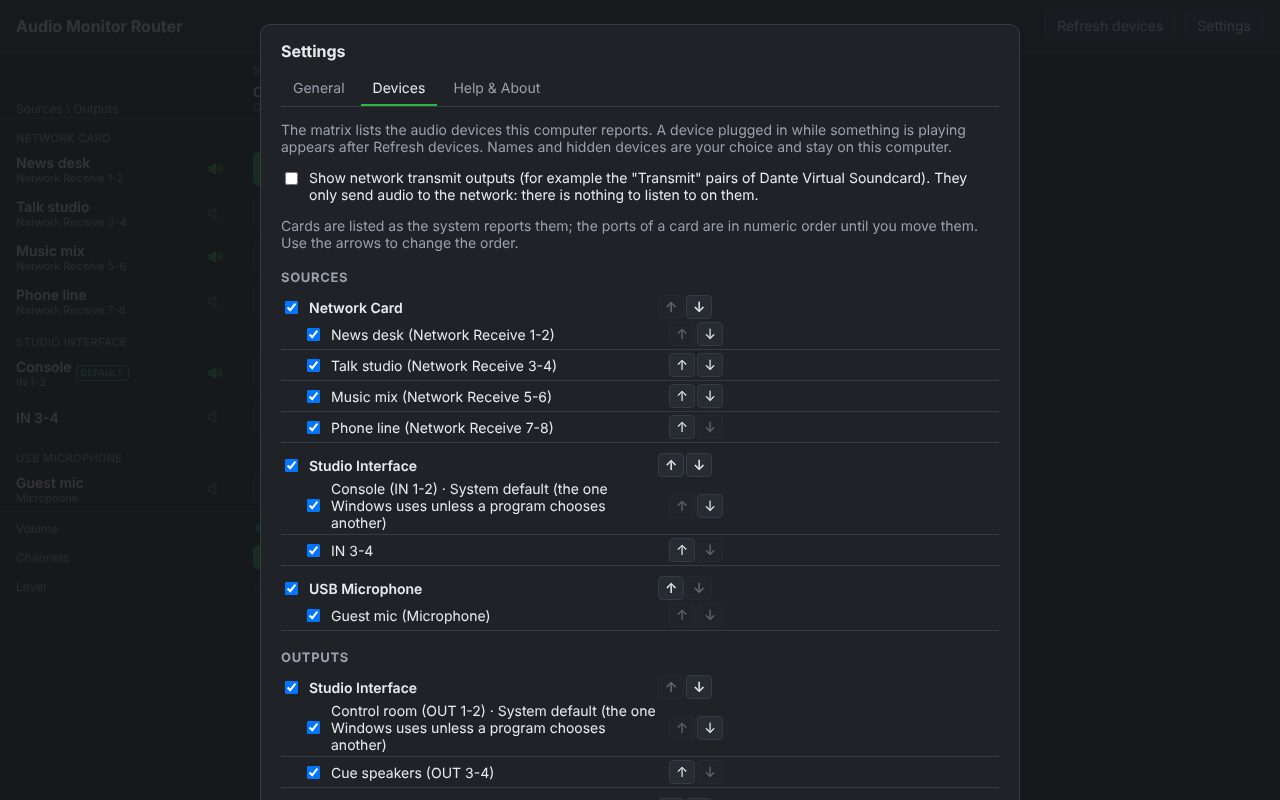
- Yours, not ours. The app reads the devices of the computer where it runs, at start and while it runs: what you unplug disappears, and comes back with its routes and names when you plug it in. Names, order and hidden devices are your choices, kept on your computer; nothing is pre-filled. It only reads and plays audio: it does not change network subscriptions or sound card settings.
Where it helps
For anyone who must listen to several audio sources from one computer: a producer or technician checking network audio pairs (Dante Virtual Soundcard receive pairs, for example), a studio with several interfaces, a desk with speakers and headphones. It is for monitoring (about 60 ms of delay by default), not for recording or live playout. Windows only for now; it never takes a card away from other programs (shared mode).
Screenshots
Quick start
- Install Audio Monitor Router and open it: the devices of your computer are listed.
- Press LISTEN where a source (row) meets an output (column). Press it again to stop.
- Use the slider for the volume, L / R / MONO for the channels.
- Settings: your own names, order, hide what you do not need, latency, language and theme.
First launch
The apps are free and not signed with an Apple or Microsoft certificate, so your system shows a warning the first time.
- Windows
- SmartScreen may say “Windows protected your PC”: click More info, then Run anyway.
- Check the file
- Compare the SHA-256 of what you downloaded with the one in the specs.
shasum -a 256 <file>·Get-FileHash <file> -Algorithm SHA256
Changelog
26.10.2 2026-10-26
First public version. A routing matrix for the audio devices of a computer: any input on any output, one source per output, several outputs at once, volume and level for each, signal speakers on sources and outputs, left/right mute and MONO, loop warning, three latency settings, your own names, order and hide list, notification area icon, English / Italiano / Español, dark and light theme. User manual in English, Italian and Spanish (PDF). Windows only; unsigned.