
What it does
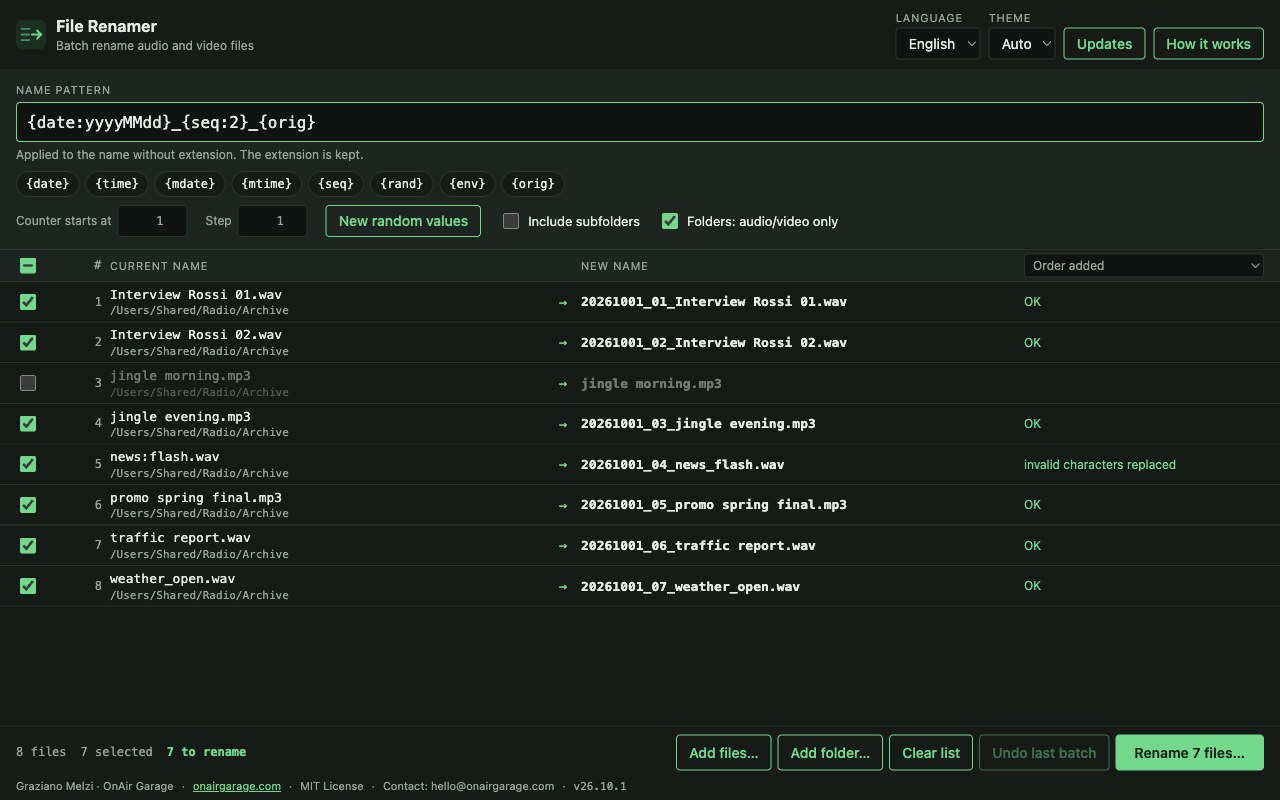
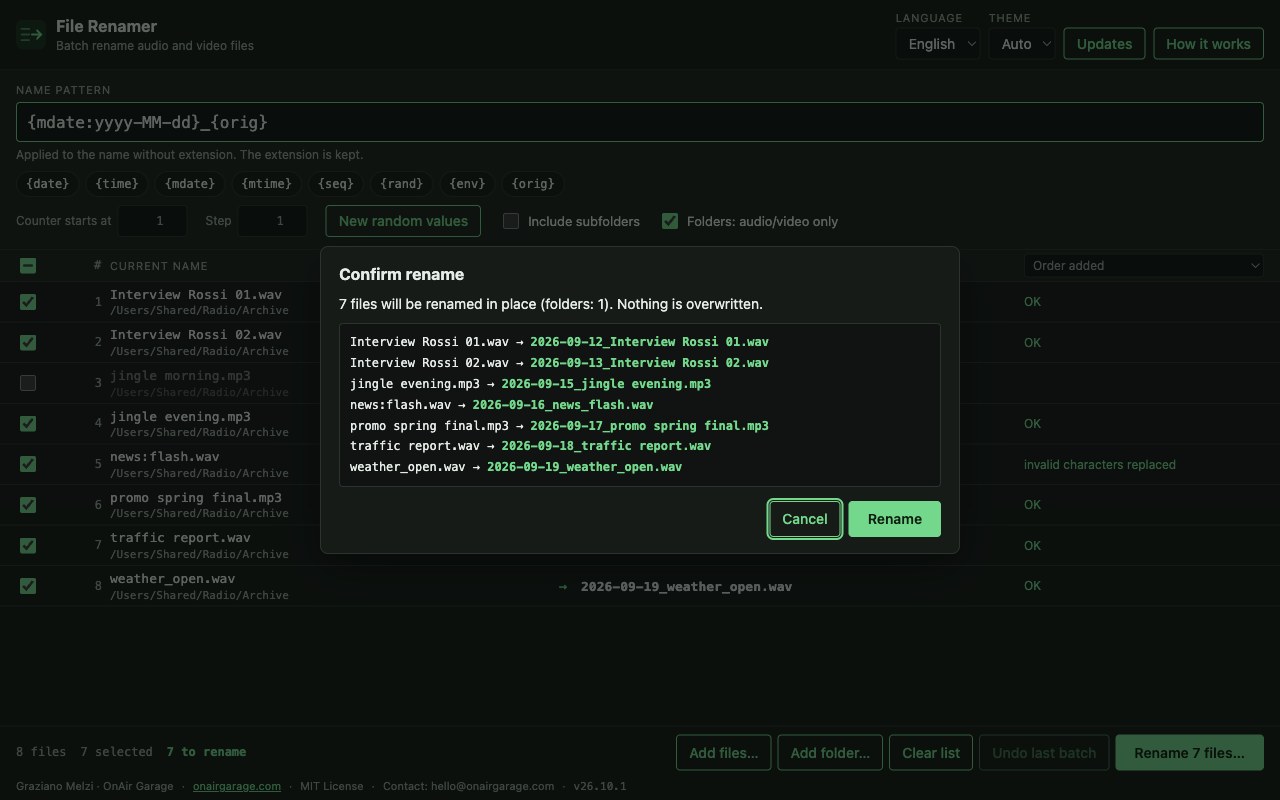
Drop your audio and video files in the list, write a name pattern and check the New name column. Only when you confirm are the files renamed, and an existing file is never overwritten.
- Placeholders. {date}, {time}, the file's own modification date {mdate} and {mtime}, a counter {seq}, random text {rand}, environment variables {env} and the original name {orig}. Dates take formats and shifts such as {date+1d:yyyyMMdd}.
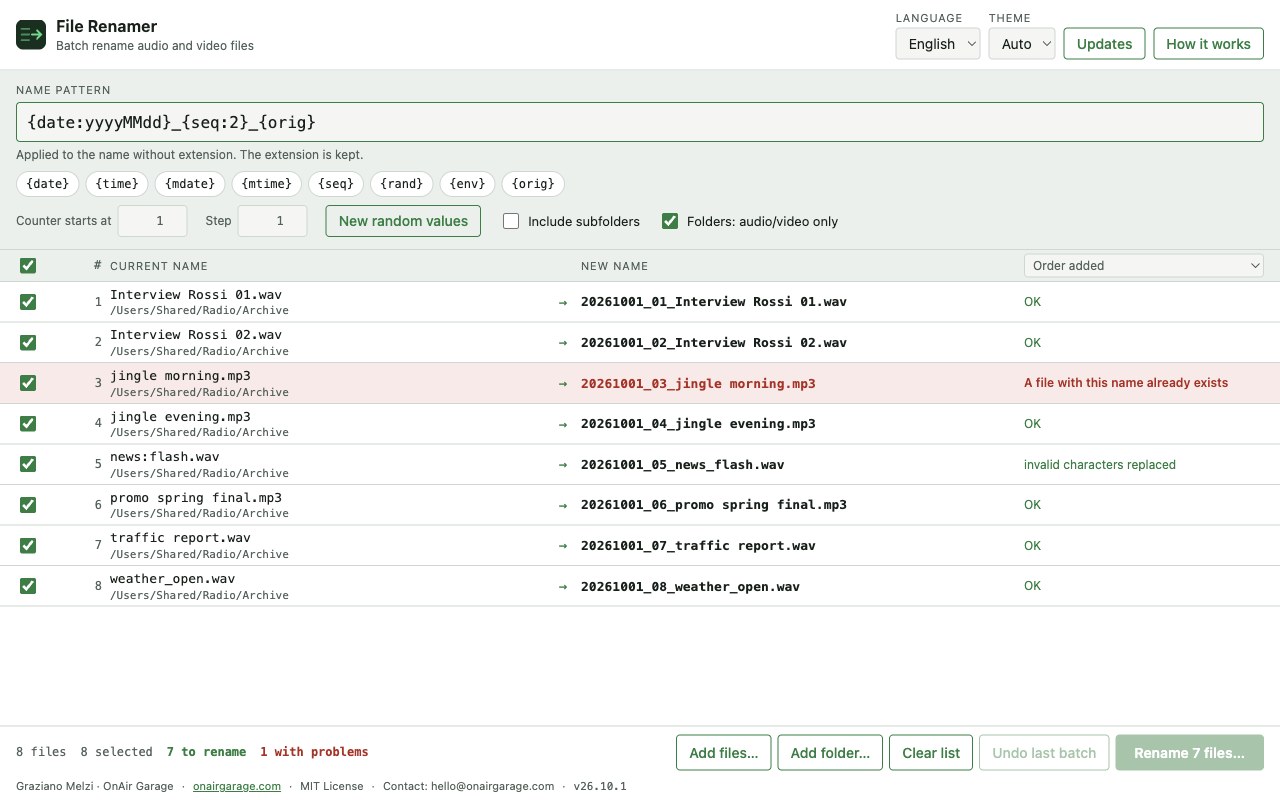
- Preview first. Every new name is shown next to the old one before anything happens. Problems turn the row red and block the rename until you fix them.
- Safe by design. A clash with an existing file or with another name in the batch is flagged and checked again at the moment of renaming. Swaps and case-only changes work. Characters not allowed on Windows are replaced and reserved names refused, so names work on every system.
- Undo. The last batch can be undone in one click, as long as the files have not been changed since.
- Counter. The counter follows the order of the list (sort by name or date) and starts where you choose, with any step.
- Lists. Drop files or whole folders (subfolders optional; only audio and video when scanning folders).
Where it helps
For anyone who files audio every day: recordings named by the recorder, jingles and promos to put in order, a library to bring to one naming scheme, files for a playout that expects a fixed pattern. Names are computed from a pattern instead of typed by hand.
Screenshots
Quick start
- Drop files or a folder on the window.
- Write the pattern, for example {date:yyyyMMdd}_{seq:3}_{orig}, and check the New name column.
- Press Rename, confirm, and undo the batch if needed.
First launch
The apps are free and not code-signed, so your system shows a warning the first time.
- Windows
- SmartScreen may say “Windows protected your PC”: click More info, then Run anyway.
- macOS
- Drag the app to Applications. If macOS blocks it, open System Settings → Privacy & Security and press Open Anyway.
- Linux
- Make the AppImage executable (chmod +x) and run it. Some distributions also need libfuse2.
- Check the file
- Compare the SHA-256 of what you downloaded with the one in the specs.
shasum -a 256 <file>·Get-FileHash <file> -Algorithm SHA256
Changelog
- 26.10.1 · 2026-10-01 · First public release.