
What it does
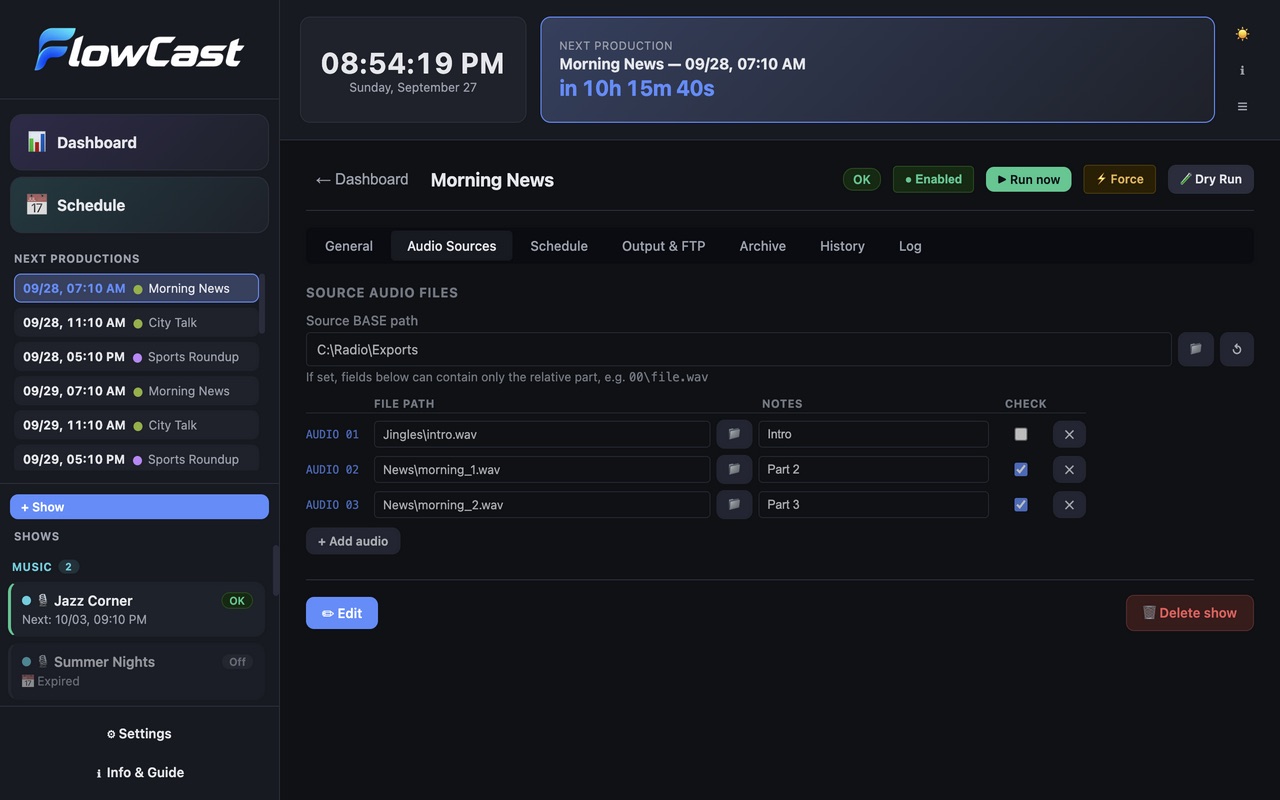
FlowCast picks up the audio your playout or production system exports, converts and joins it with FFmpeg, and delivers the result by FTP, to a local folder and to an archive, on a schedule.
- Conversion with FFmpeg. MP3, AAC, OGG Vorbis or direct copy; joins several files, such as the show and its jingles, into one.
- Only when something changed. A show is produced only if its source files were updated since the last run.
- Delivery. FTP upload with retries and FTP bookmarks, a local output folder and an archive, with date variables in paths.
- Schedules and catch-up. Daily, weekdays, weekends or chosen days, with start and end dates. Shows missed while the computer was off run at the next start.
- Alerts. Email alerts, and Telegram alerts to as many recipients as you like, each with a note on who it is, when a production fails or a source file stops being updated.
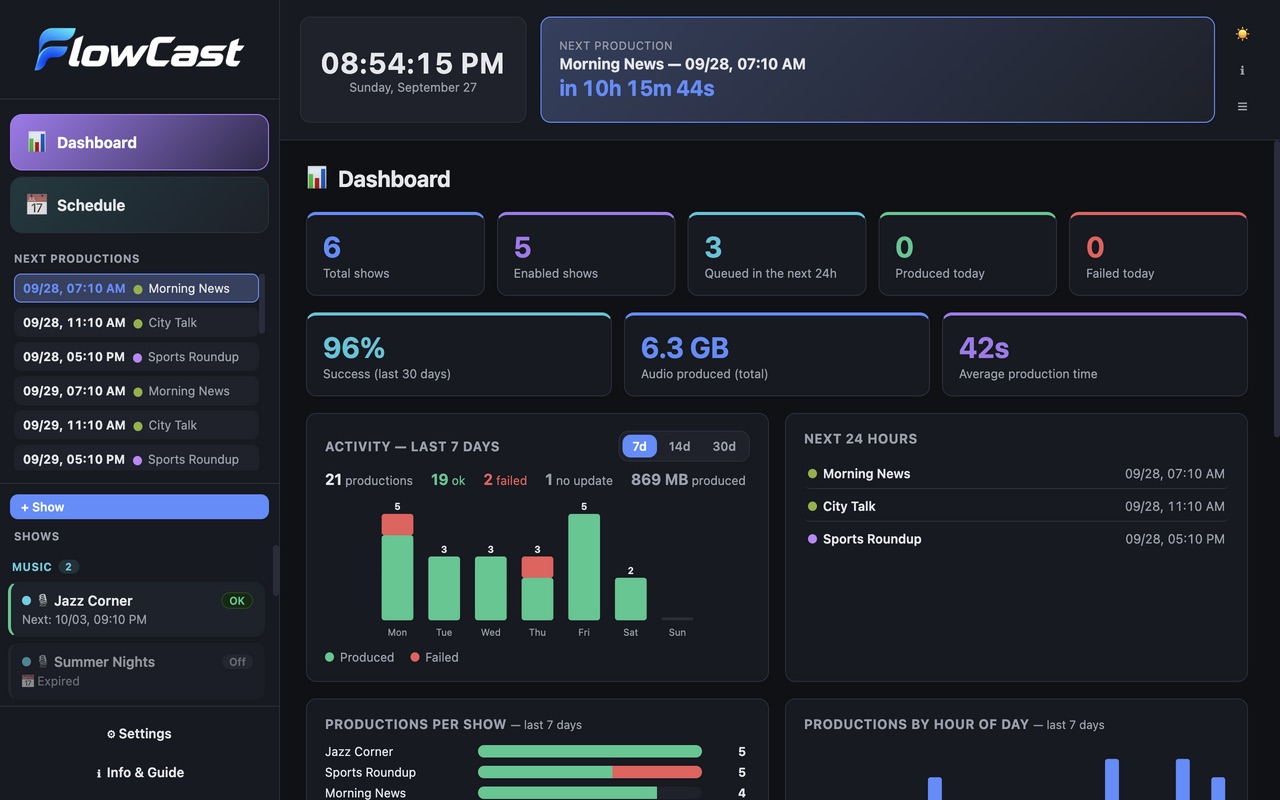
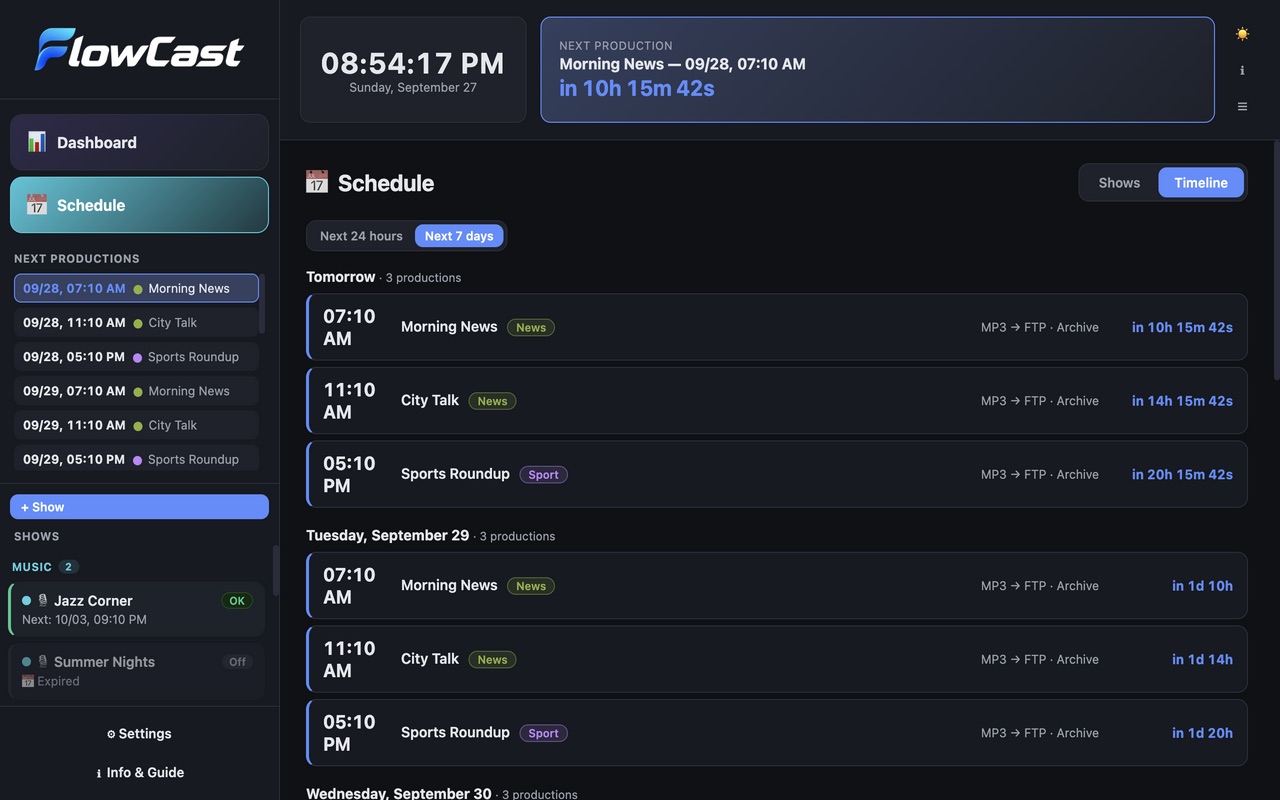
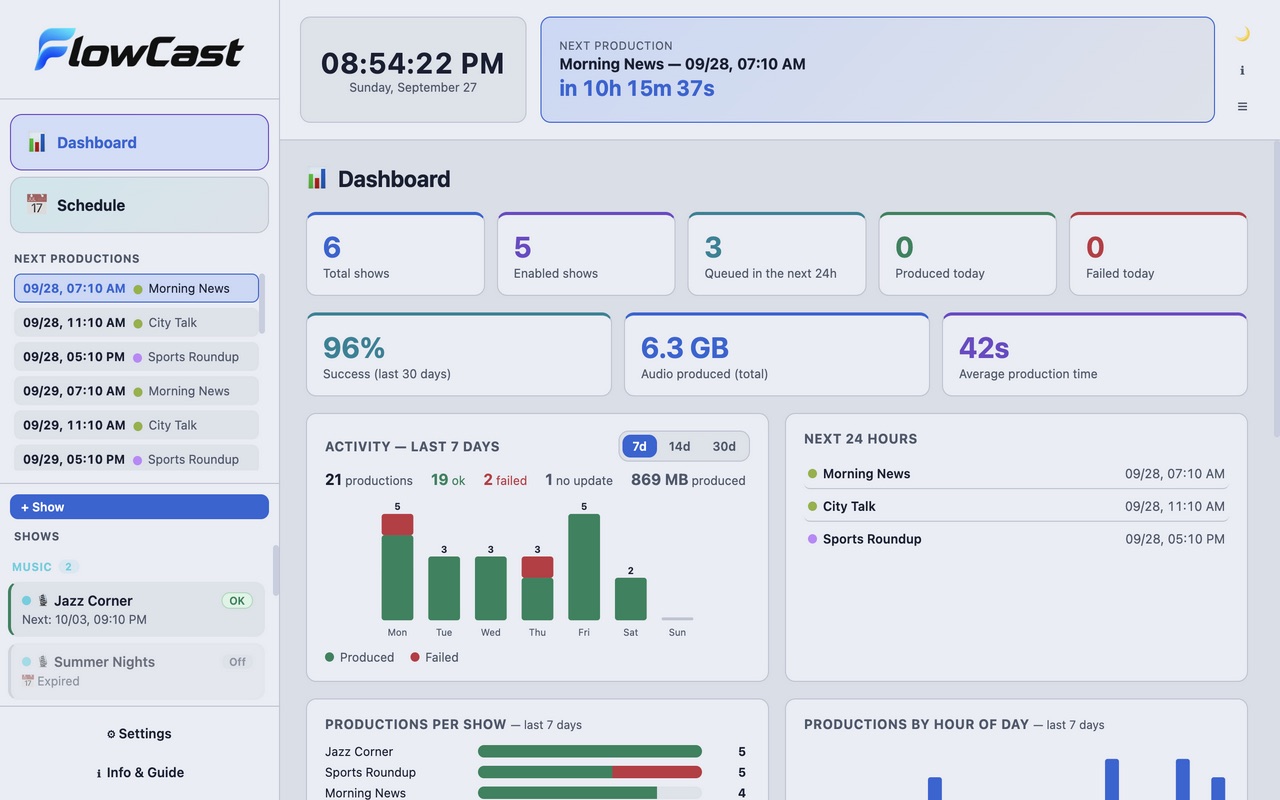
- Dashboard and timeline. Statistics per day, show and hour, success rate, and the next 24 hours or 7 days at a glance. Shows grouped in colour-coded categories. Dry run to test without uploading.
Where it helps
Recurring shows need the same routine every day: take the export, convert it, rename it, upload it, archive it. FlowCast does it on schedule and warns you when the source did not change or the upload failed.
Screenshots
Quick start
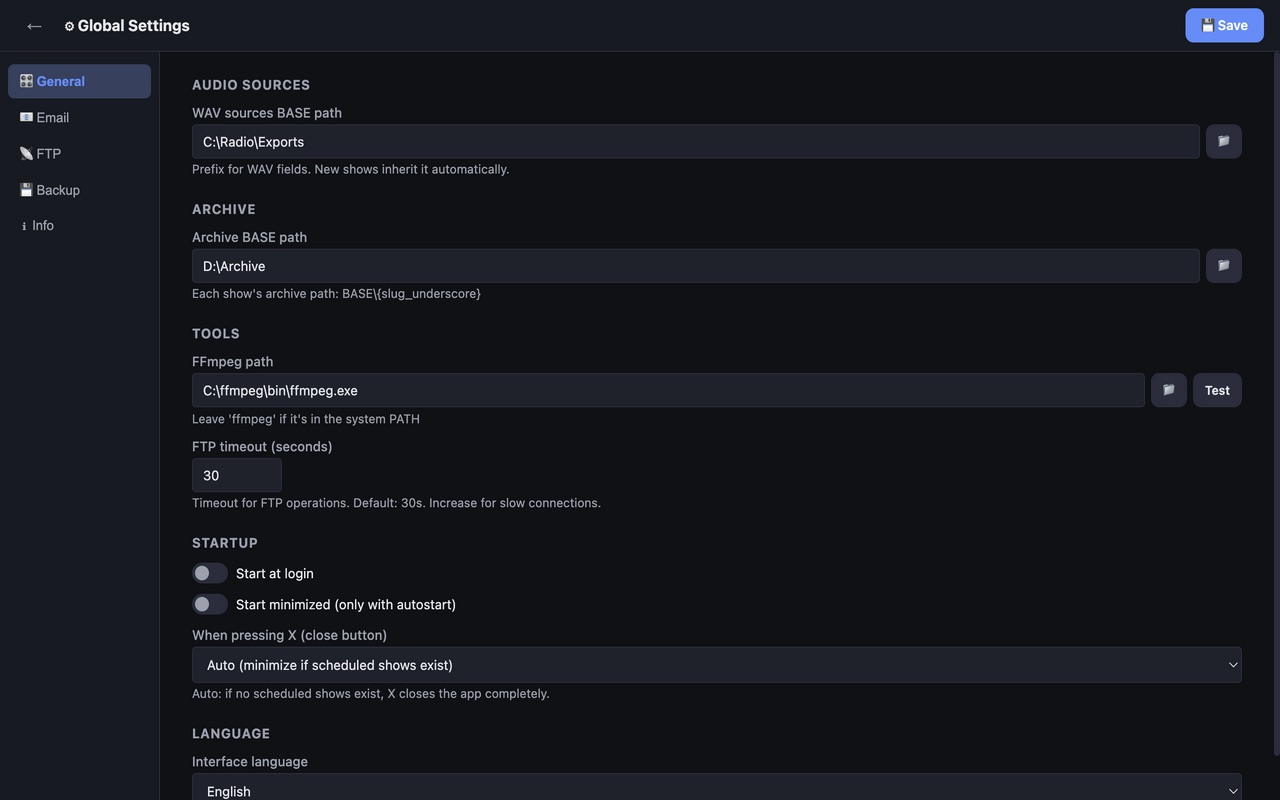
- Install FlowCast, then FFmpeg; in Settings → Tools set the FFmpeg path and press Test.
- Create a show: source files, output format, FTP bookmark and folders.
- Set the schedule, try a dry run, then let it run.
First launch
The apps are free and not code-signed, so your system shows a warning the first time.
- Windows
- SmartScreen may say “Windows protected your PC”: click More info, then Run anyway.
- macOS
- Drag the app to Applications. If macOS blocks it, open System Settings → Privacy & Security and press Open Anyway.
- Linux
- Make the AppImage executable (chmod +x) and run it. Some distributions also need libfuse2.
- Check the file
- Compare the SHA-256 of what you downloaded with the one in the specs.
shasum -a 256 <file>·Get-FileHash <file> -Algorithm SHA256
Changelog
- 26.9.8 · 2026-09-30 · Scheduled shows no longer skip silently: a watchdog frees runs stuck for 30 minutes, and a safety check every 2 minutes starts any show whose scheduled time was missed.
- 26.9.7 · 2026-09-28 · Category colours you can change in Settings; Telegram alerts to several recipients, each with a note on who it is.
- 26.9.6 · 2026-09-27 · Update progress is also shown in Settings › Info.
- 26.9.5 · 2026-09-27 · New look, dashboard statistics, schedule timeline; now also for macOS and Linux.
- 26.9.4 · 2026-09-27 · Download and install updates from inside the app.
- 26.9.3 · 2026-09-27 · PDF user manual (English and Italian) in every release.
- 26.9.2 · 2026-09-27 · New-version notice: checks GitHub for updates at startup and every 24 hours (can be turned off in Settings), with a manual check and an option to ignore a version.
- 26.9.1 · 2026-09-26 · First public release.