What it does
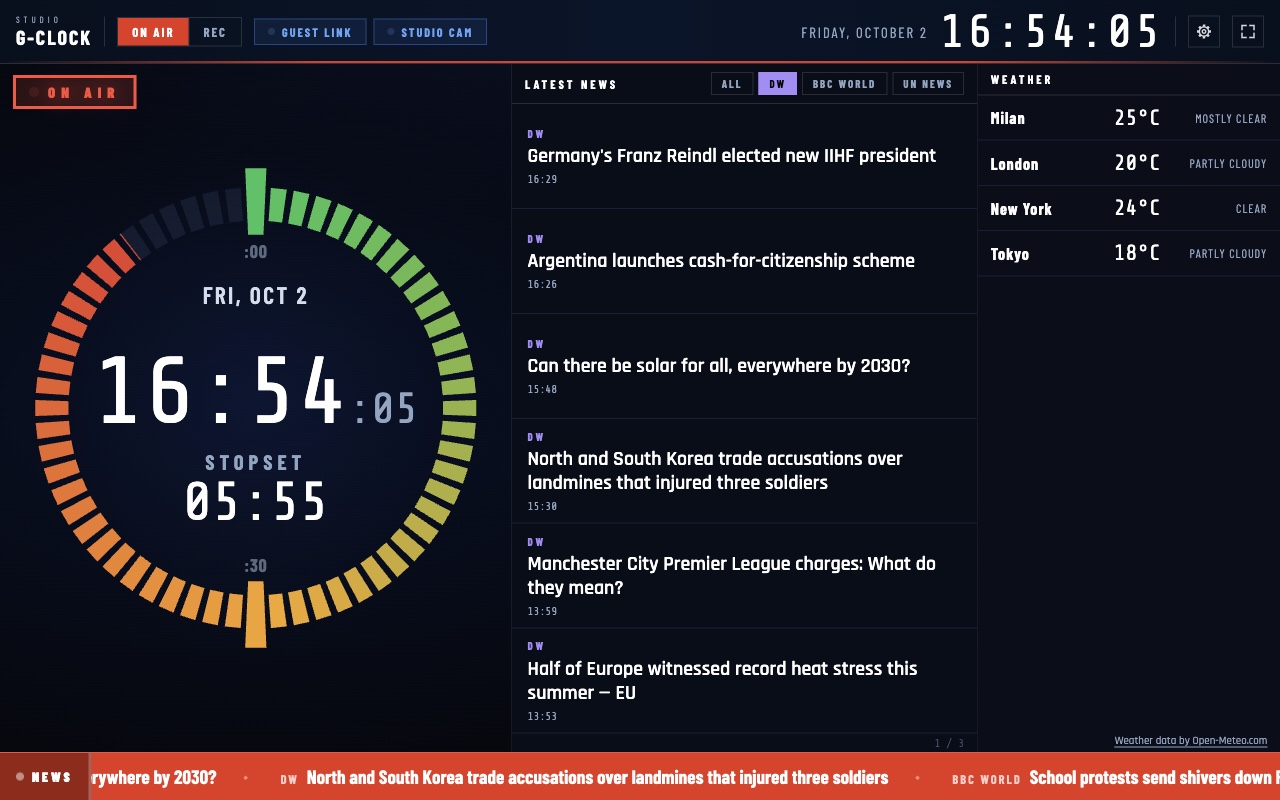
Open G-Clock on the studio screen and press F. The dial is on the left, the headlines in the middle, the weather on the right. One key turns it into the recording timer. News, stopsets, buttons and logo are yours to choose in Settings.
- The studio dial. The classic control-room clock: 60 segments that fill as the hour goes by, from green to red, with the date, the time and the countdown to the next stopset in the middle. Date and time also sit large in the header, in 24 or 12 hours and in the time zone you choose.
- Stopsets. Choose the minutes of the hour at which your ad breaks, news or jingles fall (for example :00 and :30). They show on the dial as the larger markers, which turn red as they get close; the centre counts down to the next one and shows NOW when it is due.
- Headlines you choose. Add the RSS or Atom feeds you prefer (https only): one tab per source, six headlines at a time and a scrolling ticker at the bottom. Only title, source and time are shown; a click opens the article in your browser.
- Weather, only if you want it. Off by default. If you turn it on you search for cities and G-Clock shows them in a column on the right, from Open-Meteo.com data, always with their credit. Open-Meteo's free service is for non-commercial use.
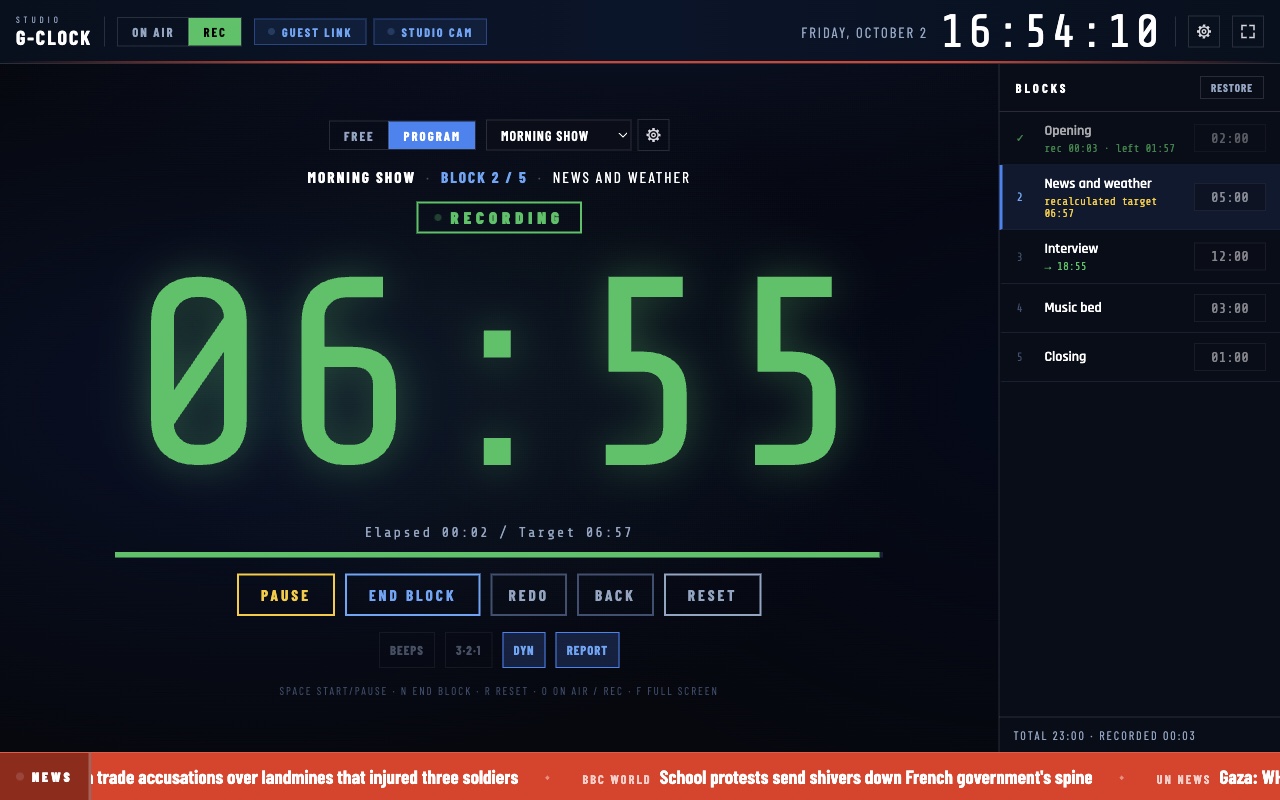
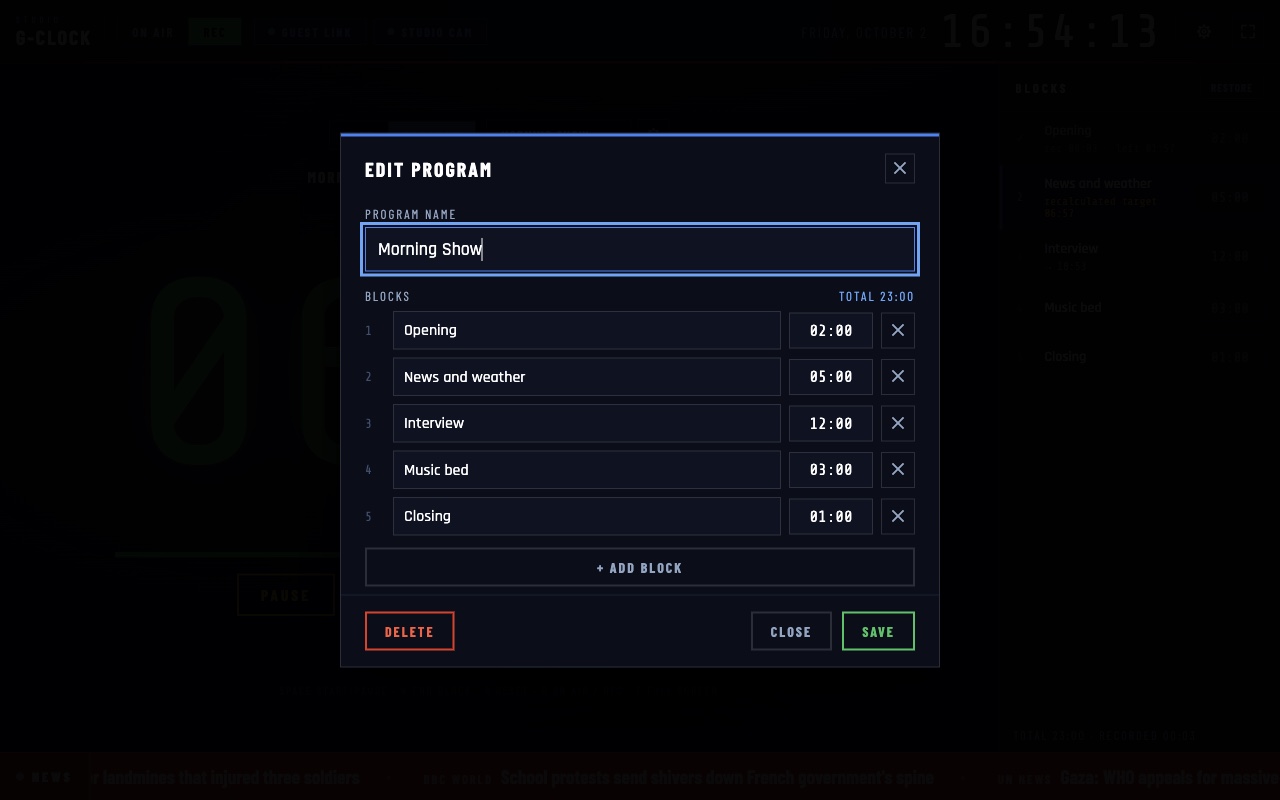
- Recording timer with programs. The O key switches to REC: the dial gives way to the timer. Record a free time (with quick times) or a program made of blocks (opening, interview, closing), each with its own time. 3·2·1 pre-roll, end block, redo, back, several takes per block and dynamic timing that carries over to the next blocks what one runs over or saves. At the end, a report you can copy or save.
- Your buttons and your logo. Make buttons that open a web page in your browser (the remote guest link, the studio camera, your station site), each with a note on how to use it and ready-made ideas. Load your station's logo: it stays only on your computer.
Where it helps
For anyone presenting or producing from a studio: a dial that can be read from across the room and tells how long to the stopset, the headlines and the weather in view, a timer to record spots, interviews and block-based shows. No account and no telemetry: the app only contacts the feeds you add, Open-Meteo if you turn the weather on, and GitHub to look for updates (which you can turn off).
Screenshots
Quick start
- Install G-Clock, open it and press F for full screen.
- Press S for Settings: news feeds, stopset minutes, logo and buttons.
- Press O for Rec, create a program with the gear button, pick it and press the space bar to start; N ends the block.
First launch
The apps are free and not code-signed, so your system shows a warning the first time.
- Windows
- SmartScreen may say “Windows protected your PC”: click More info, then Run anyway.
- macOS
- Drag the app to Applications. If macOS blocks it, open System Settings → Privacy & Security and press Open Anyway.
- Linux
- Make the AppImage executable (chmod +x) and run it. Some distributions also need libfuse2.
- Check the file
- Compare the SHA-256 of what you downloaded with the one in the specs.
shasum -a 256 <file>·Get-FileHash <file> -Algorithm SHA256
Changelog
- 26.10.2 · 2026-10-02 · The studio dial is back on the left, with stopset markers and the countdown to the next stopset inside it; headlines and weather on the right. The recording timer now has programs made of blocks, with dynamic timing, several takes per block and a report. World clocks removed.
- 26.10.1 · 2026-10-01 · First public release.